

What’s new on the 2017 Mazda3?
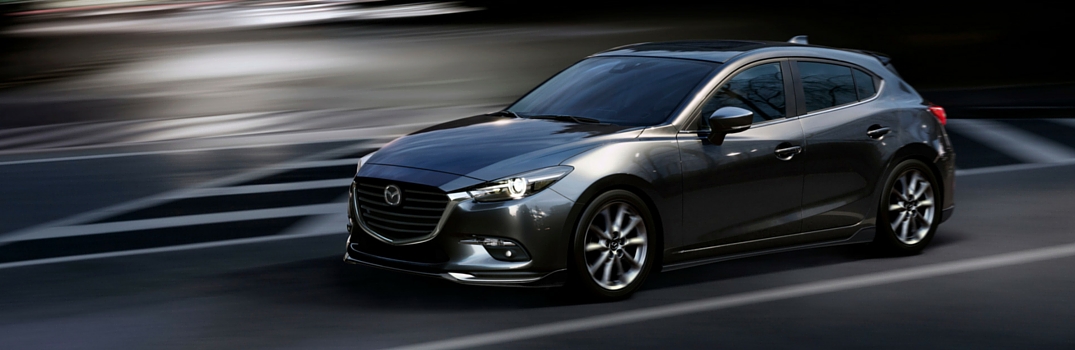
2017 Mazda3 changes and release date
The 2017 Mazda3 was released to Japanese car drivers last week. More 2017 Mazda3 changes and a release date will be announced soon, but from what we know right now, we can expect to see the Mazda3 at Seacoast Mazda later in 2017. We’ll discuss some of the expected changes below.
Cars & Coffee — a winning combination!
2016 Seacoast Cars and Coffee times and dates
There’s only one place to satisfy your need for coffee and cars! Seacoast Cars and Coffee grew from the love of everything automotive! Seacoast Mazda partners with a few other local businesses to bring this unique event to life in the Seacoast region. The remaining 2016 Seacoast Cars and Coffee times and dates are displayed below!
Mazda Push Button Start Positions
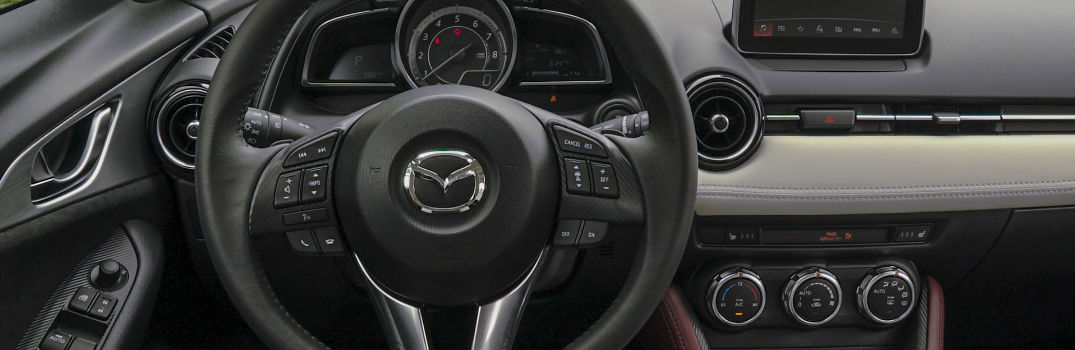
The Mazda push button start system is a convenient feature that allows you to start your vehicle without using a traditional key. It adds modern convenience, improves security, and gives your driving experience a sleek, high-tech feel compared to traditional ignition systems.
If you’ve never used a vehicle with Mazda push button start, it can be confusing at first! Don’t worry, we’ll walk you through exactly how it works so you’ll have no problem adapting to your new Mazda from Seacoast Mazda. Once you understand the steps, you’ll see just how simple and convenient this feature really is.
How to Use Mazda Push Button Start
Shift the vehicle into “Park” or “Neutral” position in order to start the engine with an automatic transmission.
Now, depress the brake pedal. If you’re in a manual transmission, shift into neutral and depress your clutch.
Located the START STOP ENGINE button on the right side of your steering wheel. Once the green indicator light appears, press the button. It’s important to let the engine idle for at least 10 seconds after it starts.
To stop the engine in an automatic transmission, shift back into “Park” or shift your manual transmission to neutral. Press the push-button start button to turn the engine completely off.
If you’d like to activate the accessory mode, press the push-button start once
Schedule a Test Drive
Schedule Service
Mazda Push Button Start In Emergency Situations
The system also includes safety features in case of emergencies. If the vehicle isn’t moving, press the Mazda push button start continuously until the engine shuts off.
If the vehicle is moving and you need to shut off the engine, quickly press the push-button a continuous number of times until the engine shuts off.
You can also start the engine with a dead key battery. You’ll need to pull the auxiliary from the key and use the auxiliary key to unlock the door. Follow the same steps as above. A green indicator light should illuminate after you have depressed the brake. From here, touch the push-button start button with the backside of your key while the green indicator light flashes. When the light finally turns green it means you are ready to go!
Why Is My Mazda Push-Button Start Light Red?
If the light on your Mazda push button start system turns red instead of the usual green, it often signals a problem with the system. Understanding the possible causes can help you quickly identify whether it’s a simple fix (like a key fob battery) or if you should seek professional service. Here are a few reasons for the red light:
Key Fob Battery: The key fob’s battery might be low or dead. If it’s weak, it may not communicate properly with the car, causing the red light. Try changing the key fob batteries to see if that helps.
Anti-Theft System: The anti-theft system could be triggered. This happens if there’s a sudden communication issue between the key fob and the car, like when the battery is replaced. In such cases, the push button start shows a red light, and the key warning indicator may flash. You may need to reset the anti-theft system or have the car checked by a Mazda professional.
Malfunction: A red light may indicate a problem with the push button start itself, like wiring issues, a faulty switch, or internal problems. If changing the key fob batteries doesn’t work, it’s best to have the car inspected by a Mazda dealer or repairer to find and fix the problem.
What to Do When a Push-Button Car Won’t Start?
A Mazda push button start system is designed to fire up your engine with minimal effort, so when nothing happens, it can feel confusing. The good news is that most causes are minor and easy to troubleshoot on the spot. Start with the basics. Make sure the vehicle is in Park or Neutral and press the brake pedal firmly. If you’re using a manual transmission, shift to neutral and fully depress the clutch.
Check Your Key Fob
If the engine still won’t start, your key fob may not be detected. A weak or dead key fob battery is one of the most common reasons a push button vehicle refuses to start. Hold the key fob directly against the push button and try again. Many Mazda models allow the system to read the chip inside the fob even when the battery is low.
Check For Warning Lights
You should also check for warning lights on your dashboard. A red key indicator, a push button start warning, or a flashing immobilizer light usually means the car isn’t communicating with the key or the anti theft system has activated. Lock and unlock the car, then try starting again.
Listen for Symptoms
If the vehicle still won’t start, listen for symptoms. A clicking noise often points to a weak car battery. Dimming lights or slow electronics confirm this. If the dash is completely dark, your car battery may be fully discharged and you’ll likely need a jump start.
What Else to Try
When everything looks normal but the engine stays silent, there may be an issue with the brake switch, the starter, or the push button system itself. In those cases, it’s best to have the vehicle inspected by a Mazda technician to diagnose the problem safely.
Remember, these are general possibilities, and the specific cause may depend on your Mazda’s model and year. If you’re facing this issue, check your vehicle’s manual or contact a Mazda dealership for help.
Do Mazda Cars Have Apple CarPlay and Android Auto?
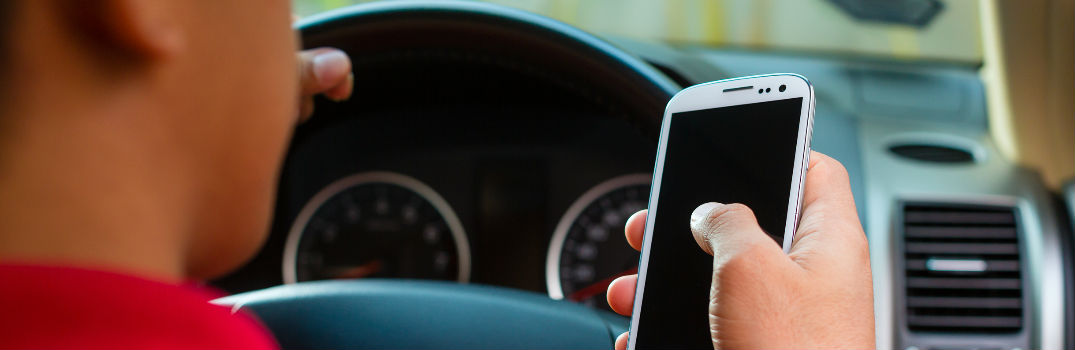
We use our smartphones constantly, whether we’re navigating to a new restaurant or streaming music on a road trip. It’s no surprise that seamless smartphone integration has become one of the top priorities for car buyers. If you’re considering a Mazda, you’re probably asking: does Mazda have Apple CarPlay and Android Auto?
The short answer: Yes, modern Mazda vehicles support both Apple CarPlay and Android Auto. Here’s everything you need to know.
Which Mazda Models Have Apple CarPlay and Android Auto?
Mazda began rolling out Apple CarPlay and Android Auto support starting with select 2019 and 2020 models, and the feature has since become standard across the lineup. Current Mazda models, including the Mazda3, Mazda CX-5, CX-50, CX-90, and others, come equipped with both systems as standard or available features.
If you’re shopping for an older used Mazda, it’s worth checking the specific model year, as pre-2019 vehicles may only feature the standalone Mazda Connect infotainment system without CarPlay or Android Auto support.
Welcome to the Seacoast Mazda blog!

Welcome to the Seacoast Mazda blog! We’re committed to providing customers with the best shopping experience possible with sharp attention to detail and relentless customer service. We’ll address a variety of issues right here on our blog. From our complete lineup of new Mazda vehicles, to our growing inventory of used vehicles with a variety of different makes and models to choose from, you know you’ll always have choice at Seacoast Mazda!
Connect with us


Recent Blog Entries
- Top Mazda SUVs for Summer Road Trips: Comfort, MPG & Cargo Space Compared
- Mazda Fuel Economy Tips for Summer Driving in New England (Save Gas on Road Trips)
- Mazda Unveils Striking New Green Paint Color for 2027 Models
- Why All-Wheel Drive Is a Smart Choice for New Hampshire Drivers
- Why Does My Car Hesitate When I Press the Gas?