

Top Mazda Infotainment Issues Drivers Face (and How to Solve Them)
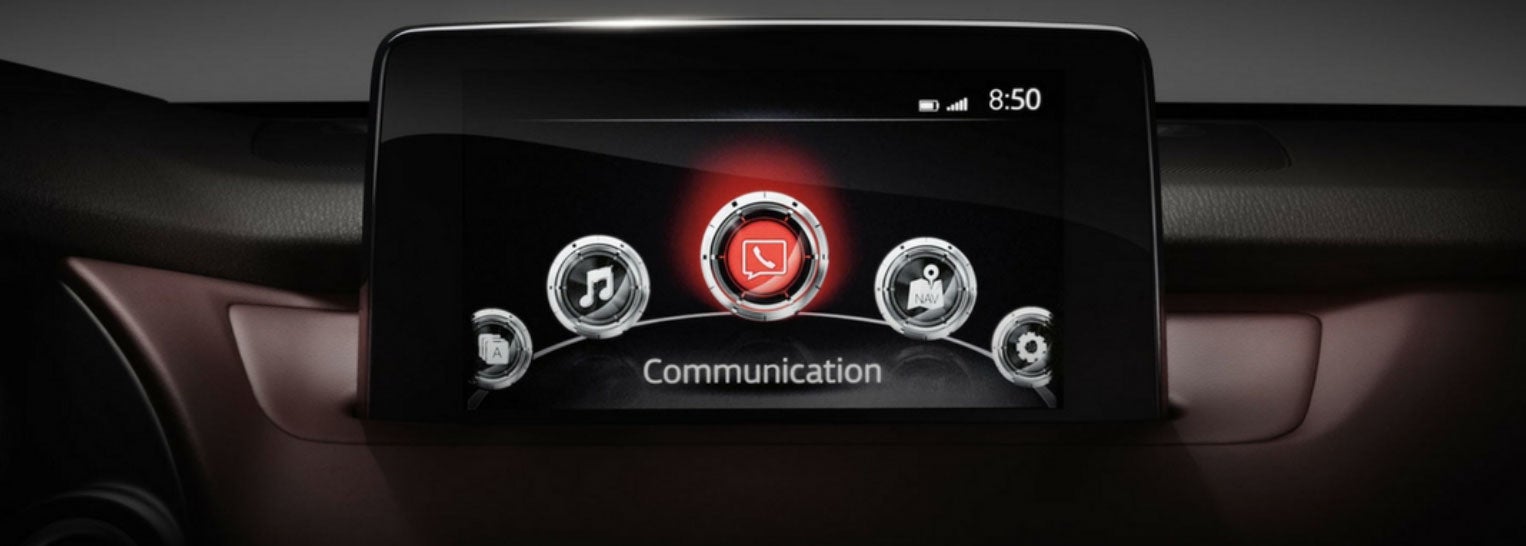
Modern Mazda vehicles are known for sleek interiors and intuitive technology, but like any advanced system, infotainment platforms can occasionally cause frustration. Whether you’re driving a Mazda3, CX-5, CX-50, or CX-90, understanding common infotainment issues and how to address them can save time, stress, and unnecessary service visits. Below, we break down the most frequent Mazda infotainment complaints and what drivers can do to resolve them.
1. Apple CarPlay or Android Auto Not Connecting
One of the most common concerns Mazda drivers report is inconsistent smartphone connectivity. CarPlay or Android Auto may fail to launch, disconnect unexpectedly, or refuse to recognize a phone altogether.
Why it happens: This is often caused by outdated phone software, incompatible cables, or wireless interference. In some cases, the infotainment system itself may need a reset or update.
How to fix it: Start by confirming your phone’s operating system is up to date. Use a high-quality USB cable if your vehicle relies on wired connectivity. If your Mazda supports wireless CarPlay or Android Auto, temporarily disable Bluetooth and Wi-Fi, then reconnect them in the proper order. Restarting both the phone and vehicle system can also resolve temporary glitches.
2. Infotainment Screen Freezing or Lagging
Drivers may notice the center display becoming slow to respond, freezing mid-input, or taking longer than usual to load menus.
Why it happens: Infotainment systems process navigation, audio, phone data, and vehicle settings simultaneously. Temporary software overloads or background processes can cause lag.
How to fix it: A system reboot often clears the issue. Turning the vehicle off, opening the driver’s door, and waiting a few minutes before restarting can reset the system. If freezing happens frequently, a software update from Mazda may be required, which can be handled during a service visit.

3. Bluetooth Audio Drops or Poor Call Quality
Bluetooth-related complaints include dropped calls, distorted audio, or music cutting out while driving.
Why it happens: Bluetooth interference, multiple paired devices, or outdated firmware can affect signal stability.
How to fix it: Delete unused devices from the infotainment system and re-pair only the primary phone. Make sure your phone is not simultaneously connected to other Bluetooth accessories. Updating your phone and infotainment software usually improves connection reliability.
4. Navigation System Errors or Inaccurate Directions
Some drivers report incorrect routing, delayed GPS updates, or navigation systems failing to load entirely.
Why it happens: Built-in navigation relies on map data that can become outdated. GPS signal interference or software hiccups may also play a role.
How to fix it: Ensure your navigation maps are current. Mazda periodically releases updates to improve accuracy and performance. If you rely heavily on navigation, using smartphone-based apps through CarPlay or Android Auto can provide real-time traffic updates and faster rerouting.
5. Touchscreen or Control Knob Not Responding
Mazda’s infotainment systems often combine a touchscreen with a rotary control knob. Some drivers experience unresponsive inputs or delayed reactions.
Why it happens: Input issues may stem from software lag, screen calibration problems, or accidental lockout while driving, as Mazda limits touch functionality at certain speeds for safety.
How to fix it: Confirm whether touch input is disabled while driving, which is normal behavior. If controls remain unresponsive while parked, a system reset or inspection may be needed. Cleaning the screen and control surfaces can also help, as debris can interfere with responsiveness.
6. Audio System Glitches
Problems such as no sound, volume changes without input, or radio stations not saving are also reported.
Why it happens: Audio issues may result from software conflicts, signal interference, or amplifier communication errors.
How to fix it: Switching audio sources, restarting the system, or re-saving presets often resolves minor glitches. Persistent audio issues should be evaluated by a technician to rule out hardware concerns.
7. Software Updates Not Installing Properly
Occasionally, infotainment updates may fail to install or cause new issues after completion.
Why it happens: Interrupted updates or compatibility conflicts can lead to incomplete installations.
How to fix it: Updates are best performed by trained technicians who can ensure proper installation and system stability. If your system behaves oddly after an update, a diagnostic scan can identify and correct the issue.
8. Voice Commands Not Responding or Misunderstanding Requests
Some Mazda drivers notice that voice commands don’t always register correctly. The system may mishear navigation destinations, fail to recognize contact names, or respond with an error even when commands are spoken clearly.
Why it happens: Voice recognition can be affected by background noise, microphone sensitivity, or outdated infotainment software. Loud cabin noise from open windows, high fan speeds, or passengers talking can interfere with how the system processes commands. Software that hasn’t been updated may also struggle with accuracy.
How to fix it: Try reducing background noise before using voice commands and speak in a clear, natural tone. Make sure your infotainment system is running the latest software version, as updates often improve voice recognition performance. If the issue continues, a dealership inspection can check microphone function and recalibrate the system so voice controls work as intended.
What to Do If Infotainment Issues Persist
If infotainment problems persist despite basic troubleshooting, it’s time to schedule service. Mazda technicians have access to diagnostic tools, official software updates, and system recalibration procedures that go beyond at-home fixes. Addressing issues early helps prevent distractions while driving and ensures you get the full benefit of Mazda’s technology.
Keeping Your Mazda’s Technology Running Smoothly
Mazda infotainment systems are designed to enhance comfort, safety, and connectivity, but like any advanced technology, they perform best when properly maintained. Keeping software current, pairing devices correctly, and addressing issues promptly can make a noticeable difference in daily driving enjoyment. If questions arise, your local Mazda service team is always the best resource for accurate diagnosis and reliable solutions.
Visit Seacoast Mazda for Expert Help
If your Mazda’s infotainment system isn’t working the way it should, the team at Seacoast Mazda is here to help. Our factory-trained technicians understand Mazda technology inside and out, from software updates and connectivity issues to full system diagnostics. Whether you need a quick fix, a system update, or expert advice, we’ll make sure your Mazda is performing exactly as designed. Stop by Seacoast Mazda or schedule a service visit today and enjoy a smoother, more connected driving experience.
Schedule Service